

MANCAN Tool Companion v1.2

Version: 1.2
Release Date: 4/18/2023
Major Changes

Set up the MANCAN Tool device in few minutes with our new version of the Upgrader…

Download for Windows (x64 only)

*Windows 7 or newer

What can you do with this software?

You can upgrade or change your module version.
You can change the car for which it is intended or just to add the latest possible extras to the device.

DOWNLOAD DRIVERS

Additional securty

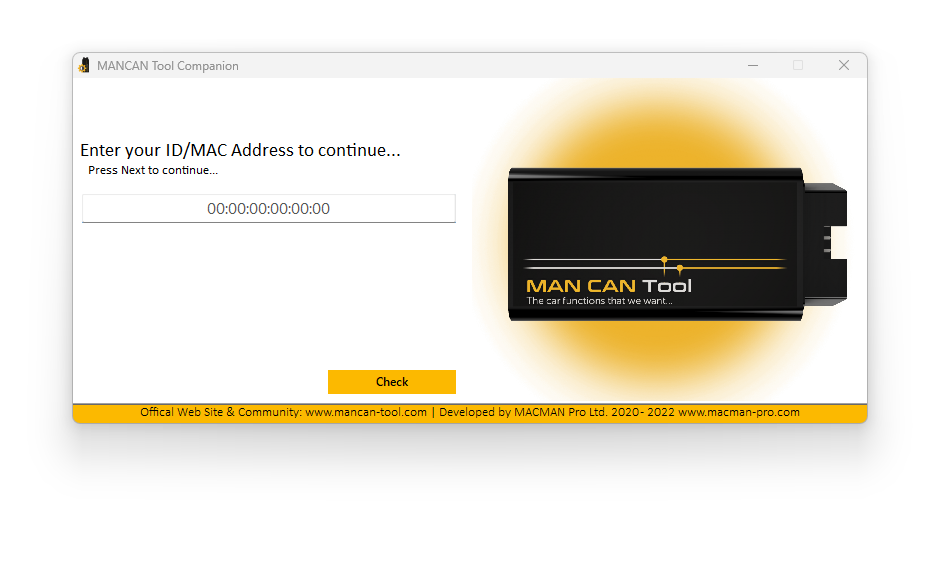
We have implemented an enhanced security measure for our MANCAN Tool/Processor firmware installer. To ensure authorized access, users are now required to input their device’s unique MAC address during installation. Your MAC address can be found on the SECURITY CARD provided, or on the back of the module. This measure has been taken to further safeguard our product and your data. Thank you for your understanding and cooperation.

Installable MANCAN Tool versions

You can upgrade or change your module version.
You can change the car for which it is intended or just to add the latest possible extras to the device.

Downloadable Firmwares

Lancia Thesis

Lancia Thesis LT100 Beta

Lancia Thesis LT014

Lancia Delta III

Lancia Delta LD001


DVM – Alfa Romeo 939

MANCAN Developer’s tool (not available)
RESET (Reset all features setted)


Others

MANCAN Developer’s tool (not available)
RESET (Reset all features setted)

How to update the MANCAN Tool version?

Please turn on the subtitles!!!

YouTube player

Step by step:

  1. Prepare the following:
    MANCAN Tool device;
    Mini USB cable;
    Windows PC
  2. Download and install the program MANCAN Tool Companion
  3. Once the program has started, follow the steps:
    1. Choose preferred language;
    2. Enter the MAC address of the device;
    3. Do not plug in the module into the computer before you see the relevant message;
    4. Press “NEXT” and wait for the module to be found;
    5. If the computer does not detect the device, install the drivers above!
    6. Select a car and a version from the list, than click NEXT;
    7. Wait to install (a black screen with white text will appear);
    8. Wait for a confirmation of the end of installation;
  4. Disconnect the module from the computer and assemble everything;
  5. Plug it into the car;